
AI Image
AI Character Swap
Recast any shot. Swap the entire person for a new character from a photo or your Studio cast, and choose whether to keep the pose, background, light or original outfit.
- Casting tests for campaigns
- Keep one character across a series
- Diverse versions of the same ad
Free daily credits · No card needed
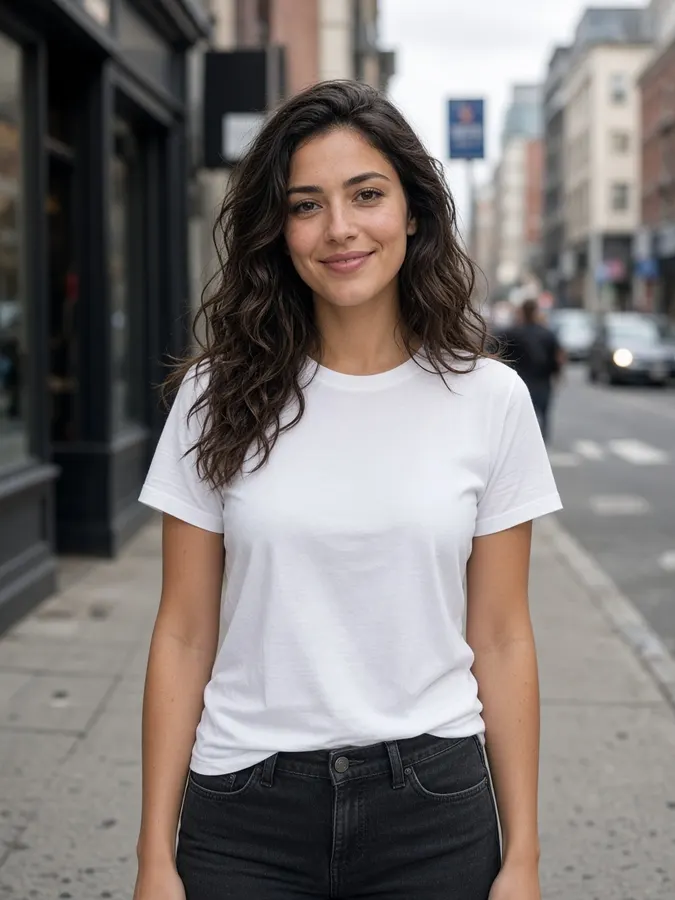 Scene
Scene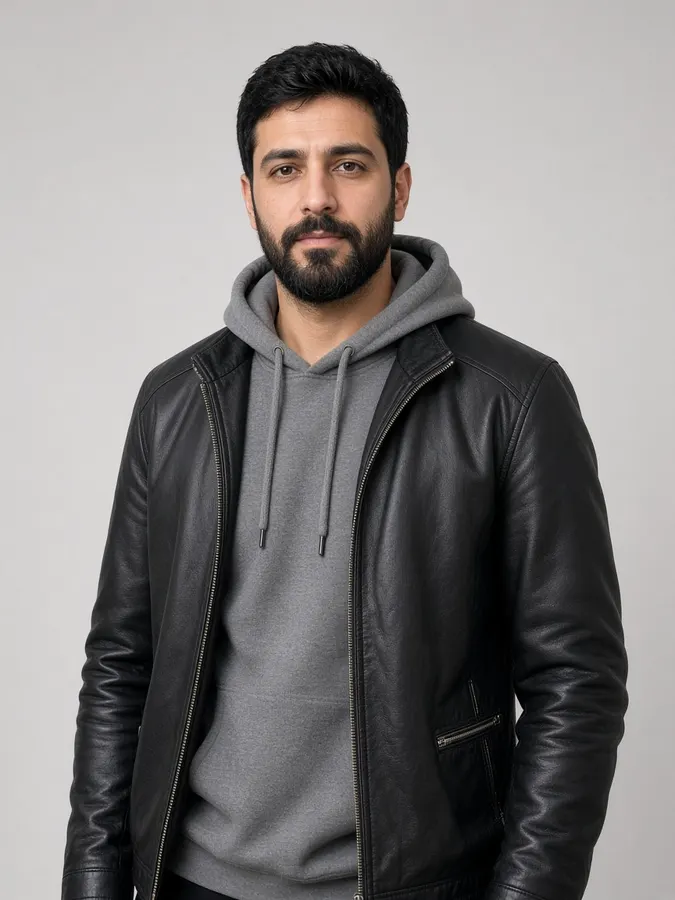 New character+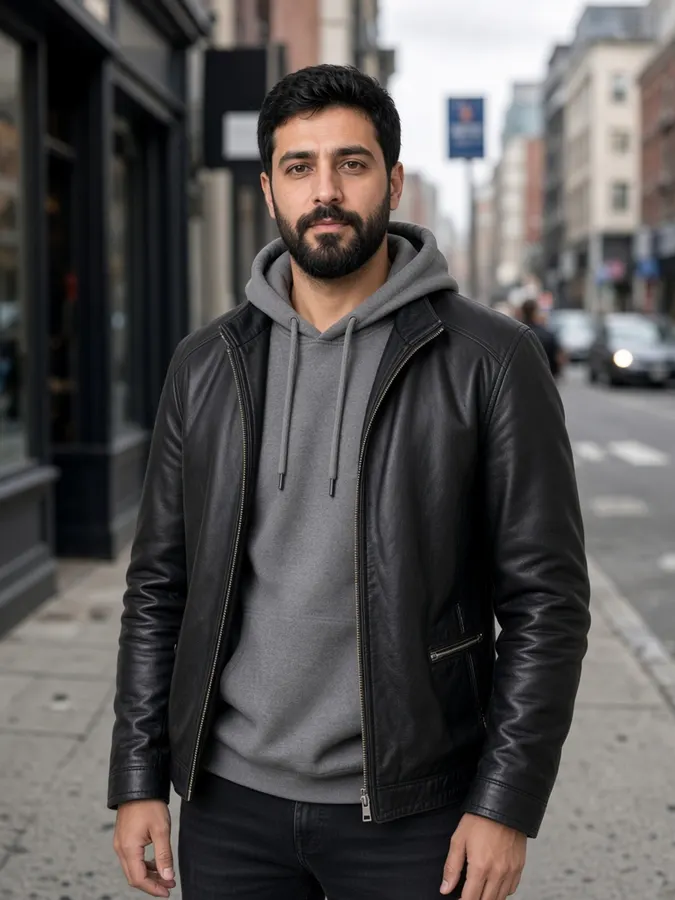
AI Character Swap
How it works
- Step 1
Add the scene
Upload the shot or select a canvas result.
- Step 2
Choose the character
Upload a photo, pick a saved Studio character, or type @ to mention one.
- Step 3
Choose what to keep
Keep pose & framing, background & light, or the original outfit.
AI Character Swap
Prompt ideas
Pick a prompt and it opens in the tool, ready to generate.
Casting test
Keep the pose and background exactly, the character wears their own outfit
Same outfit
Keep the original outfit on the new character
Friendly pose
Make the new character smile slightly toward the camera
Saved character
Recast the shot with @your_character
Pro tips
- Save recurring people in Studio › Characters so they look the same in every shot.
- Similar framing in both photos gives the most natural result.
Image models included
AI Character Swap
Frequently asked questions
How is character swap different from face swap?
Face swap changes only the face. Character swap replaces the whole person: face, hair, body and, if you like, the outfit.
Can I use my saved characters?
Yes. Type @ to mention any character saved in Studio and it keeps the same look every time.
Does it work on videos?
Yes, the Video Character Swap tool recasts a full clip while keeping the motion.

Ready to create?
Start free with daily credits. Upgrade when your ideas outgrow it.