
FluudAi Studio
Your AI studio for series, ads and films
Cast characters, products and voices once. Plan productions, series and episodes with settings that flow down. Then direct every episode from one workspace.
Production
Coastline
Series
Season 1
Episode
Ep. 3 · The Lighthouse
Cast & assets
Create a character once, cast them everywhere
Save seven kinds of assets. Each gets an @handle you can mention in any prompt, tool or episode for perfect consistency.
Same face, hair and style in every shot
Build a person with the guided builder or upload reference photos, then cast them in images, videos, episodes and ads.





“@maya at golden hour”
Characters
Build a person with the guided builder or upload reference photos, then cast them in images, videos, episodes and ads.
Products
Save a product once and mention it in ads, try-ons and videos without it changing shape or label.
Brands
Store colors, tone and visual rules. Mention the brand or set it on a production and outputs follow it.
Props
Save garments, accessories and story objects so they look identical in every episode.
Locations
Save places once with their default light and mood, then put any character or product in them.
Styles
Save a palette, grade, lighting and rendering style and apply it to anything.
Voices
Save a narrator or character voice with its pace and energy and reuse it for avatars and voiceovers.
Productions → Series → Episodes
Plan a whole show with settings that flow down
Set the look and cast once at the top. Every series and episode inherits it, and you override only what changes.
Production
The show itself: genre, look, aspect ratio, model, brand and main cast.
Series
A season or campaign. Inherits the production and adds its own twist, like night scenes.
Episode
One video. Combines everything above with its own prompt, script and cast.
What flows down
- Genre
- Mystery · Drama
- Color grade
- Teal & orange
- Lighting
- Low key
- Camera movement
- Slow push-in
- Aspect ratio
- 16:9
- Video model
- Veo 3.1
- Brand
- @fluud_brand
- Main cast
- @maya · @leo
Director view
Direct every episode from one workspace
Each episode opens in a director's workspace: prompt, script and shot list, cast, inherited settings and every take side by side.
Coastline / Season 1 / Episode 3
The Lighthouse
Episode prompt
Night falls on @lighthouse_cliff. @maya climbs the spiral stairs with @brass_lantern while the storm builds.
Script / shot list
- Shot 1 – Wide: storm clouds roll over @lighthouse_cliff.
- Shot 2 – Medium: @maya pushes the iron door open.
- Shot 3 – Close-up: @brass_lantern flickers in her hand.
- Shot 4 – Top-down: the spiral stairs, slow push-in.
Cast & assets
- @maya
 @leo
@leo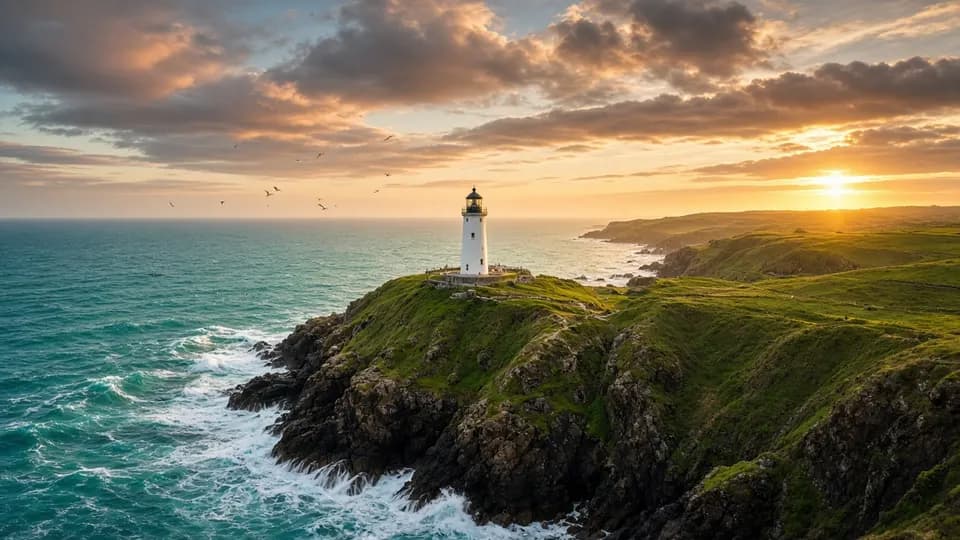 @lighthouse_cliff
Settings · Inherited
Takes
Generate episode- Final

Script & shot list
Write the episode prompt and an optional shot-by-shot list: wide, medium, close-up, top-down.
@cast in every line
Mention characters, products, locations and styles right inside the script.
Inherited settings
See what comes from the production and series, and override only this episode.
Takes & variations
Regenerate as many takes as you like and compare them side by side.
Mark the final cut
Star the take you love and the series shows it as the finished episode.
Status at a glance
Draft, ready, rendering or complete, for every episode in the series.
Built for
For YouTubers, ad makers and filmmakers
Whether you publish weekly, run campaigns or tell stories, Studio keeps your cast, look and voice consistent.

YouTubers & creators
Run a channel with a recurring host, a consistent look and a steady publishing rhythm.
- Recurring AI host with a saved voice
- Shorts in 9:16, long-form scenes in 16:9
- Thumbnails and B-roll from the same cast
Ad makers & brands
Produce campaigns where every ad uses the same product, brand kit and spokesperson.
- Product and brand saved as @assets
- UGC, promo and product ads per series
- Test hooks and audiences with variations
Filmmakers & storytellers
Develop short films, micro-dramas and series with continuity from the first episode to the last.
- Cast, locations and props that never drift
- Genre, grade and lighting set once
- Script and shot list for every episode
Studio
Frequently asked questions
What is FluudAi Studio?
Studio is where you plan and produce multi-video projects. Productions hold series, series hold episodes, and your saved characters, products and voices keep everything consistent.
How do I keep a character consistent across episodes?
Save the character in Studio and mention it with its @handle, or add it to the production's main cast so every episode uses it.
What is the Director view?
It's the episode workspace: prompt, script and shot list, cast, inherited settings with overrides, and all rendered takes with the final one marked.
Which plans include Studio?
Studio productions are included in Plus and Pro. On Free you can build assets and unlock video with a credit top-up.
Can I use Studio assets outside productions?
Yes. Every saved asset works in AI Image and AI Video tools too, just type @ and pick it.
Ready to create?
Start free with daily credits. Upgrade when your ideas outgrow it.