
AI Image
AI Photo Editor
Upload a photo and say what should change: lighting, colors, weather, objects or mood. Everything you don't mention stays exactly the same, and you can stack edits step by step.
- Relight portraits and product photos
- Remove people or clutter from backgrounds
- Change seasons, weather and color grades
Free daily credits · No card needed
Edit prompt
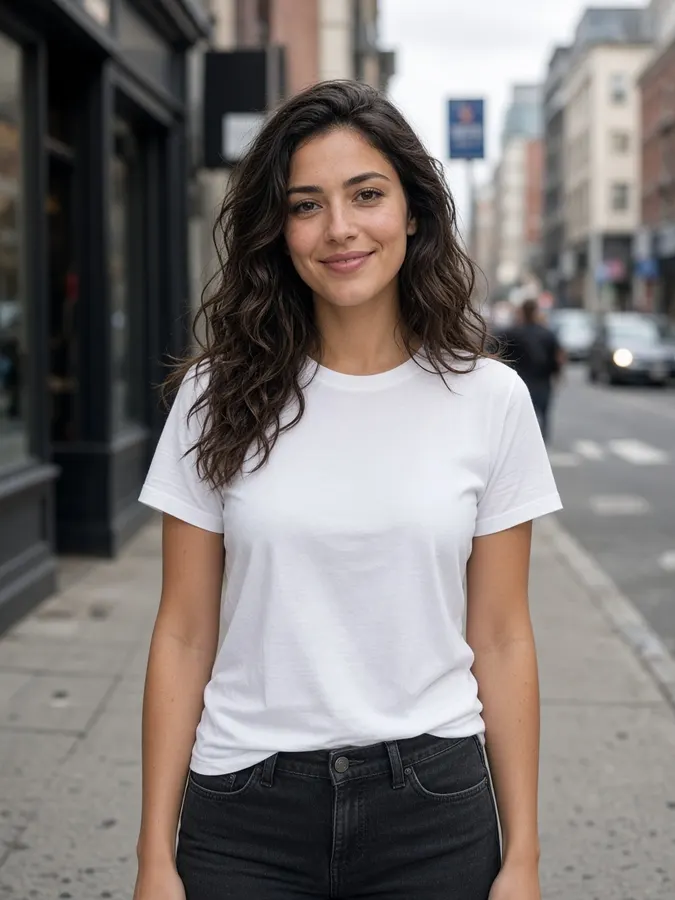
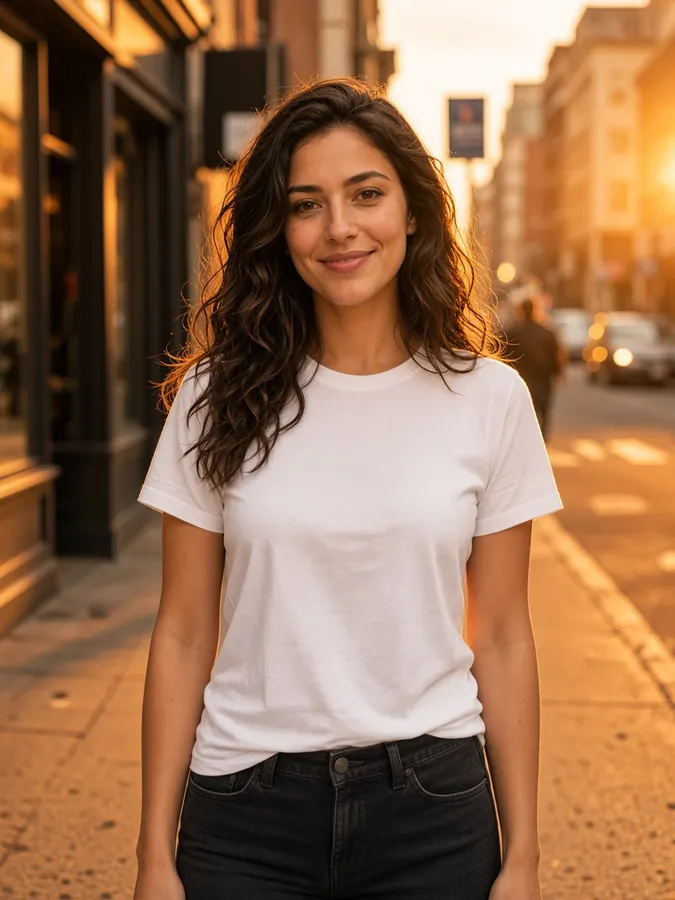
AI Photo Editor
How it works
- Step 1
Add your image
Upload a photo, or click any result on the canvas and it becomes the source automatically.
- Step 2
Say what to change
Describe one clear change: lighting, colors, objects, weather or mood.
- Step 3
Apply & stack
Each edit lands on the canvas. Select it and edit again to layer changes step by step.
AI Photo Editor
Prompt ideas
Pick a prompt and it opens in the tool, ready to generate.
Golden hour
Relight the scene as golden hour with warm rim light and soft bokeh
Clean background
Remove the people and cars in the background, keep everything else identical
Season swap
Turn it into a snowy winter day with falling snow and frosty windows
Cinematic grade
Give it a moody teal-and-orange cinematic color grade
Pro tips
- One change per edit gives cleaner results than a long list.
- Say what must stay: “keep her face and outfit identical”.
- Chain edits: select the new result, then edit again.
Image models included
AI Photo Editor
Frequently asked questions
How does the AI photo editor work?
You describe the change in plain words and the AI edits only that part of the image, keeping faces, composition and the rest of the scene intact.
Can I remove objects from a photo?
Yes. Ask it to remove people, cars, text or clutter and it fills the area naturally.
How much does an edit cost?
Each edit costs 10 credits ($0.10), the same as generating a new image.


Ready to create?
Start free with daily credits. Upgrade when your ideas outgrow it.